Your Tasks, Calendar & Notes, All in One Place
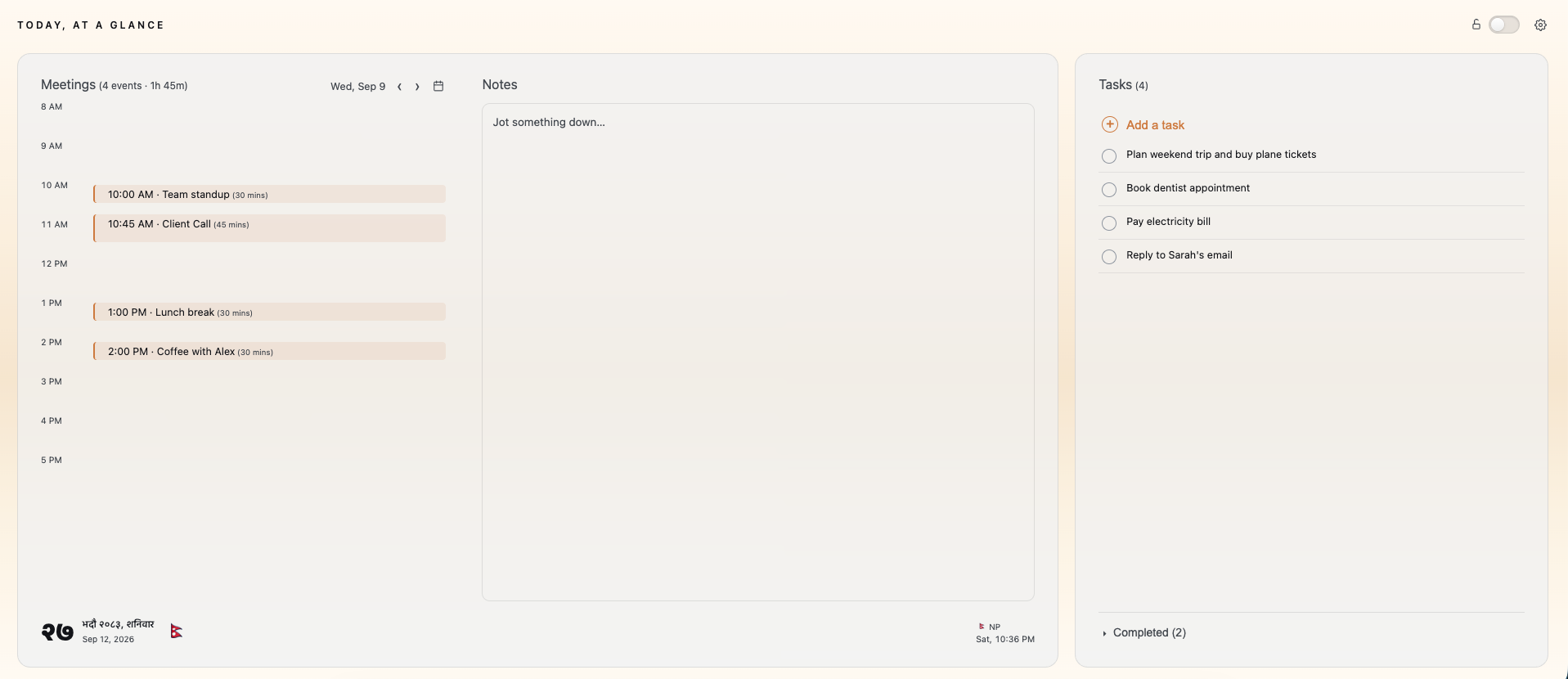
"Today" is a new tab extension that gives you one view of your goals for the day.
Features
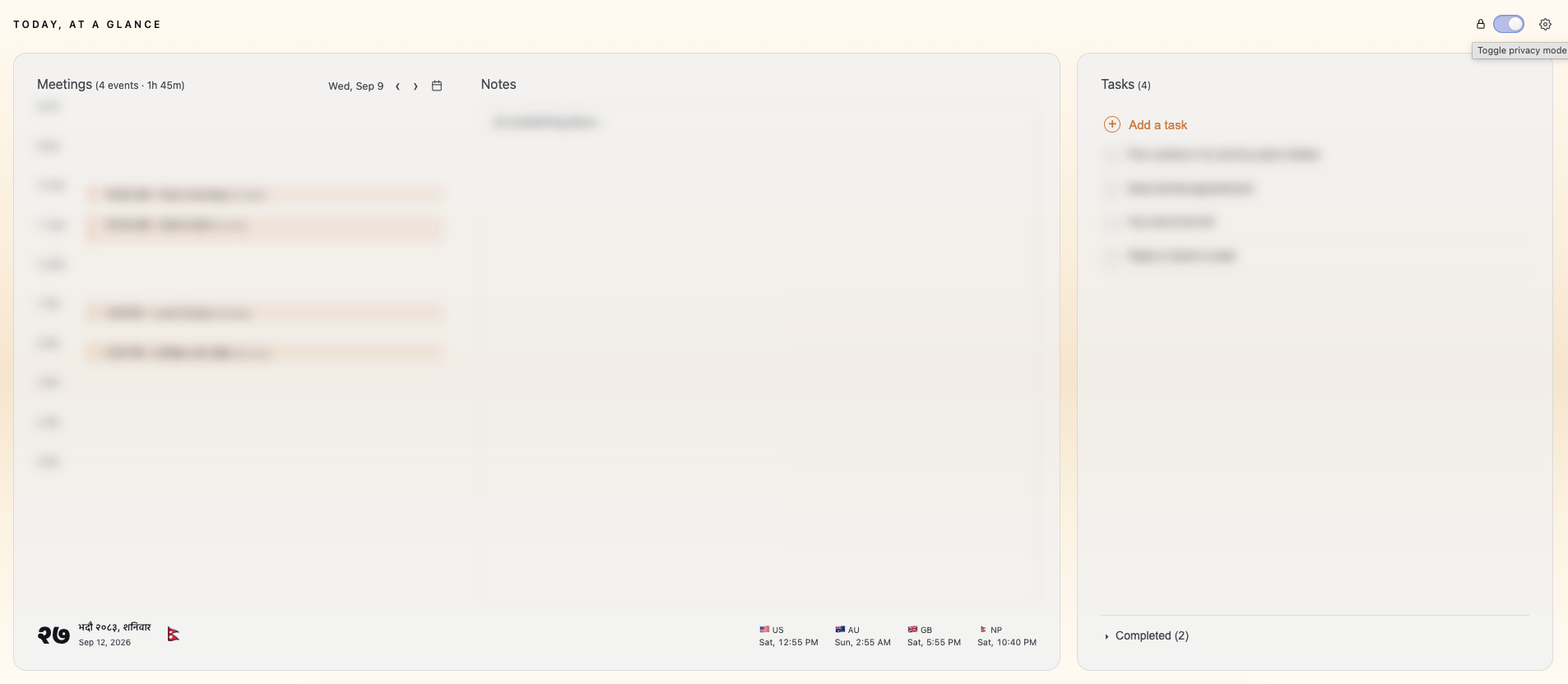
Overview
Tasks
Synced with your Google Tasks. Add, complete, edit, and delete right from the new tab page.
Meetings
Today's Google Calendar events at a glance, with the ability to create or delete events.
Clock & timezones
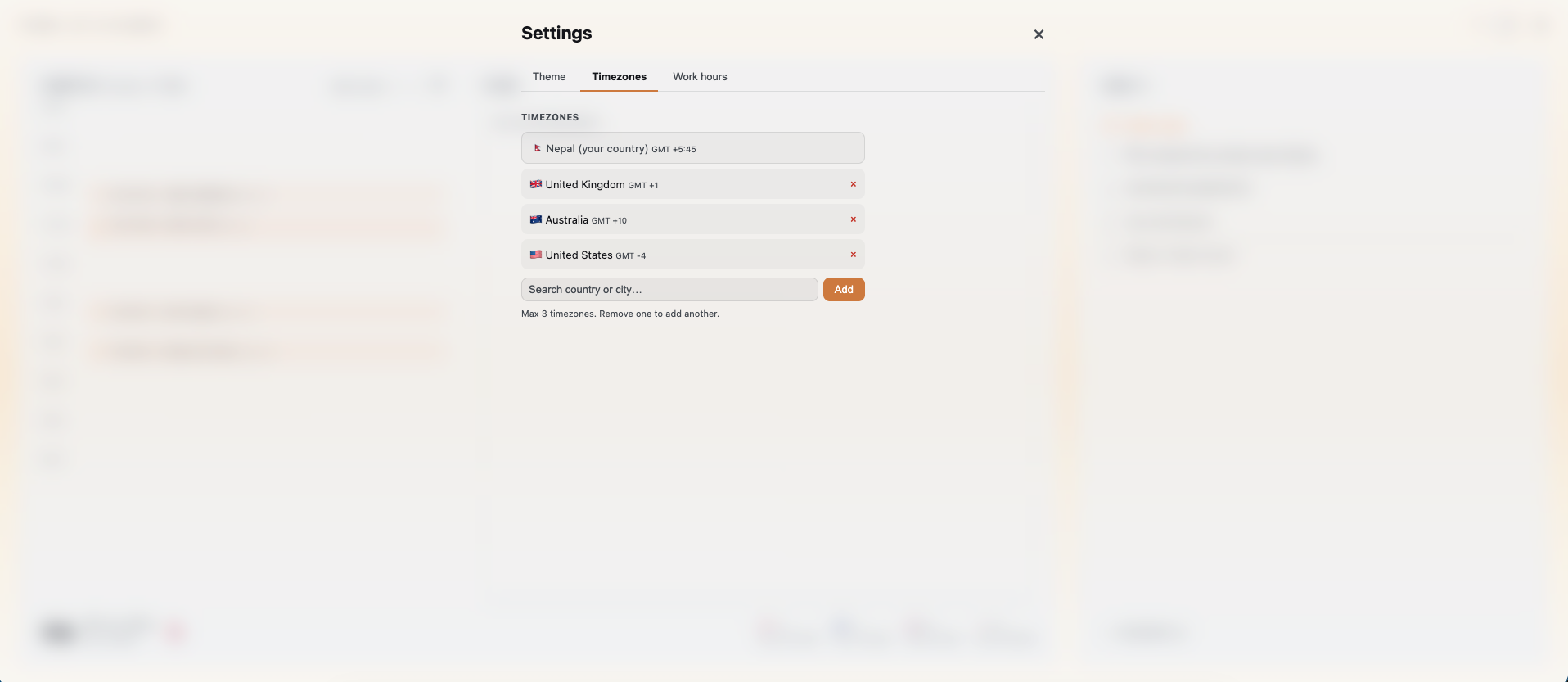
A clean flip clock and today's date, plus up to six countries next to your own. Drag any country's bar to convert times and see who's within work hours.
Notes
A quick scratchpad for jotting things down, right on the new tab page.
Work hours
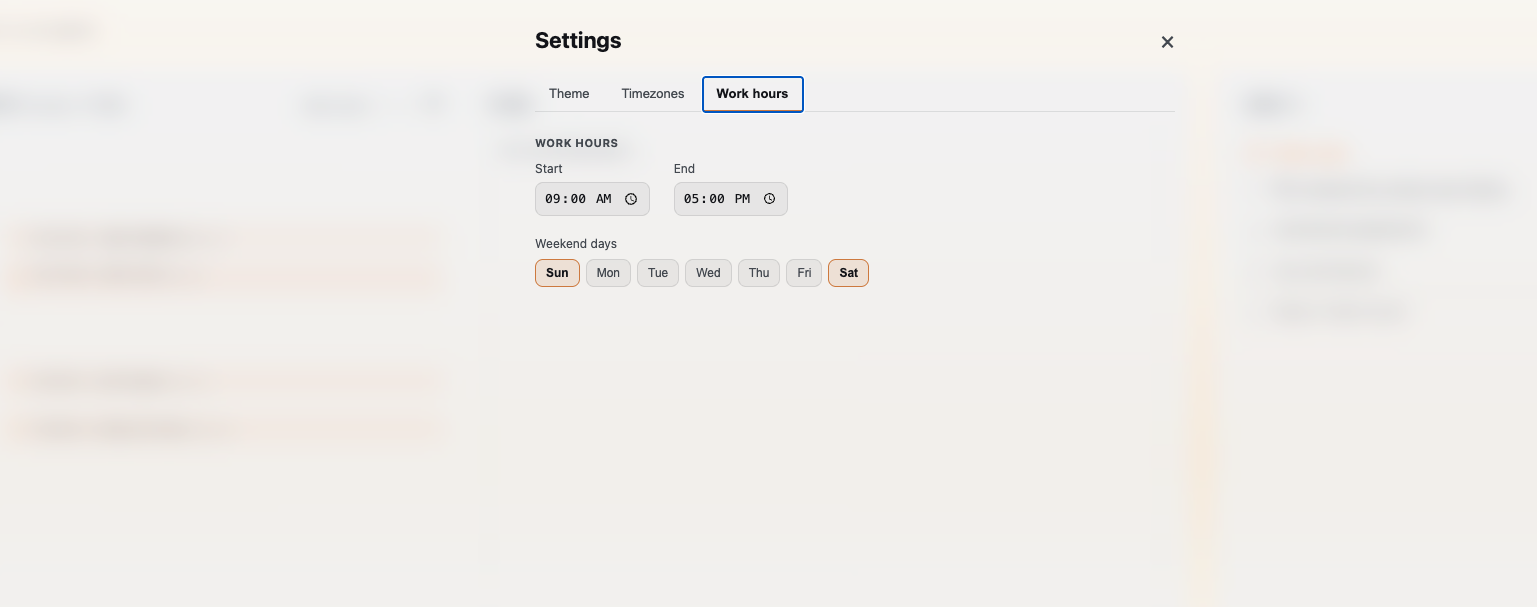
Set your work hours and weekend days so your day view reflects your own schedule.
Themes
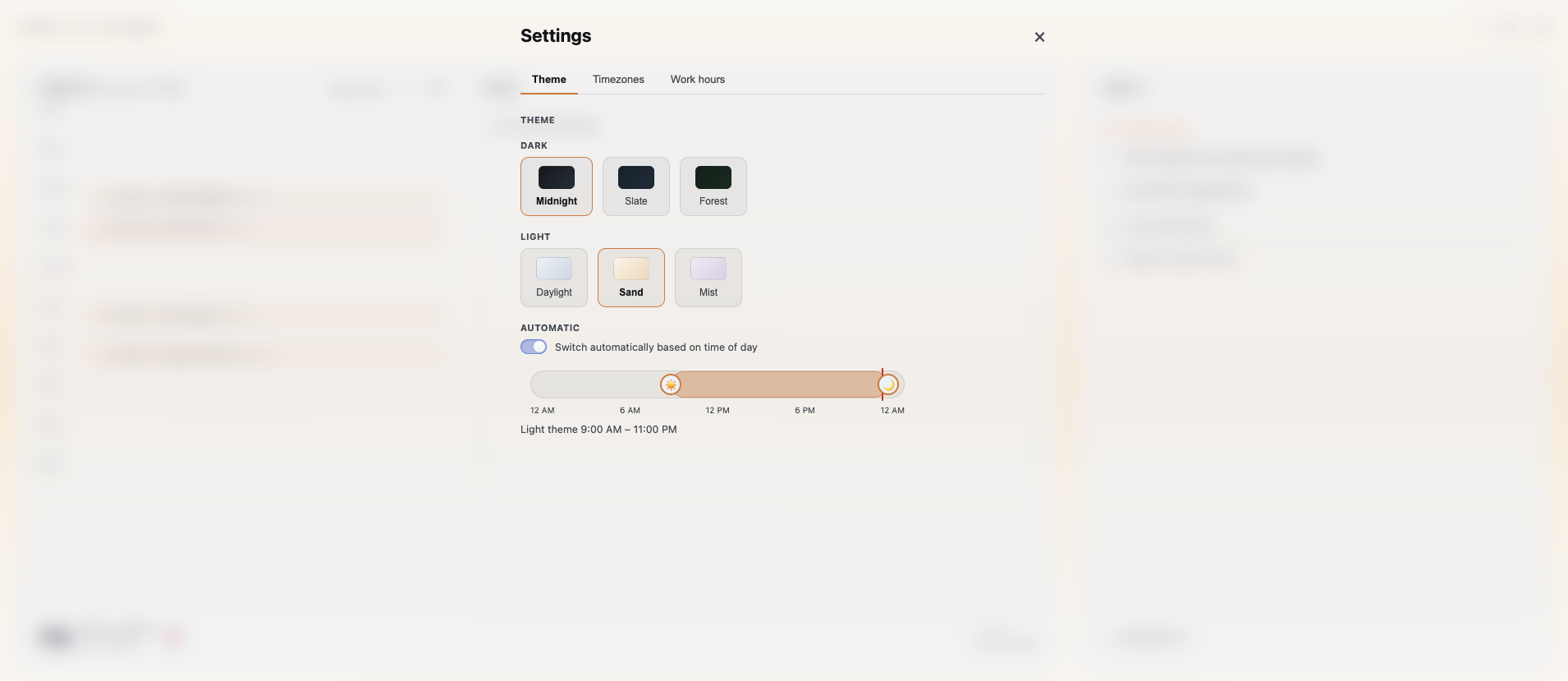
Multiple dark and light themes, with automatic switching based on time of day.
Privacy mode
One click blurs your tasks, meetings, and notes. Screen-share safe in seconds.
Preview
Support
Got a minute or hit a snag? Either helps.
Love the extension?
A quick rating on the Chrome Web Store goes a long way. Helps others find it too.
Rate on Chrome Web StoreFound a bug, have a feature request, or a question?
Drop me a message: nrdshgtm@gmail.com
Privacy Policy
Last updated: 2026-09-15
"Today - Your Daily Agenda & Quick Notes" is a Chrome new-tab extension. This page explains what data it accesses and what it does with it.
What the extension accesses
- Google Tasks: with your permission (Google Sign-In), the extension reads and writes tasks in your Google Tasks default list, so you can view, add, complete, edit, and delete tasks from the new tab page.
- Google Calendar: with your permission, the extension reads your calendar events for the day and lets you create or delete events, so you can see and manage your meetings from the new tab page.
- Nepali calendar date: for users whose device timezone is set to Nepal, the extension fetches the current date from hamropatro.com's public widget to display today's Bikram Sambat date.
What the extension does not do
- It does not send your tasks, calendar data, notes, Google account data, or browsing activity to any server we operate: we don't operate a server. All requests go directly from your browser to Google's Tasks/Calendar APIs or to hamropatro.com.
- It does not sell, share, or use your data for advertising.
- It does not track you across other websites.
Where data is stored
Your tasks, notes, timezone selections, work-hours, and theme preferences, along with a cached copy of today's meetings and the day's Nepali date, are stored in Chrome's local extension storage (chrome.storage.local) on your own device, so the new tab page has something to show instantly before network requests finish. Your Google OAuth access token is cached in session storage (chrome.storage.session), which is automatically cleared when the browser closes. None of this data is ever transmitted anywhere outside your browser and Google's own APIs, and it is removed if you uninstall the extension.
How your data is protected
- Encryption in transit: all requests to Google's Tasks and Calendar APIs and to hamropatro.com are made over HTTPS/TLS. No data is ever sent over an unencrypted connection.
- No third-party server: we don't operate a backend, so your Google user data never passes through or is stored on any server we control.
- Local-only storage: your tasks, notes, preferences, and the day's meetings are cached on your own computer only (in the browser's local storage), not encrypted, and readable only by someone with access to your computer's user account. Your Google sign-in token is kept temporarily for your current browser session only and disappears automatically when you close your browser.
- Least privilege: the extension requests the minimum OAuth scopes needed for Tasks and Calendar features, and only sends requests to the specific Google API hosts and hamropatro.com listed below — no other host access is requested.
- No sharing with third parties: your Google user data is never sold, shared, or used for advertising or any purpose other than displaying and managing your tasks and calendar in the new tab page.
Data retention and deletion
- OAuth access token: retained only in
chrome.storage.sessionfor the current browser session; it is automatically deleted when you close your browser. - Cached tasks, calendar events, notes, and preferences: retained in
chrome.storage.localon your device only, for as long as the extension is installed, so the new tab page can display them instantly. This cache is refreshed from Google's APIs on each visit and is never transmitted to us. - Deleting your data: you can delete all locally cached data at any time by removing the extension from Chrome (chrome://extensions), which permanently deletes everything stored in
chrome.storage.localandchrome.storage.session. To revoke the extension's access to your Google account and stop it from reading or writing your Tasks and Calendar data, visit Google Account › Security › Third-party access and remove access for this extension. - Data deleted through Google Tasks/Calendar: any task or event you delete or edit via the extension is deleted or edited directly in your Google account through Google's APIs, subject to Google's own retention policies.
Google API Services User Data Policy
The use and transfer of information received from Google APIs by "Today - Your Daily Agenda & Quick Notes" adheres to the Google API Services User Data Policy, including the Limited Use requirements.
Permissions this extension requests, and why
storage: to save your tasks, notes, and preferences locally, cache today's meetings and date, and hold your Google access token in session storage.identity: to sign you in to Google and obtain an access token for the Tasks and Calendar APIs.- Host access to
tasks.googleapis.com: to read/write your Google Tasks. - Host access to
www.googleapis.com: to read/write your Google Calendar events. - Host access to
hamropatro.com: to fetch today's Nepali calendar date.
Contact
Questions about this policy: nrdshgtm@gmail.com